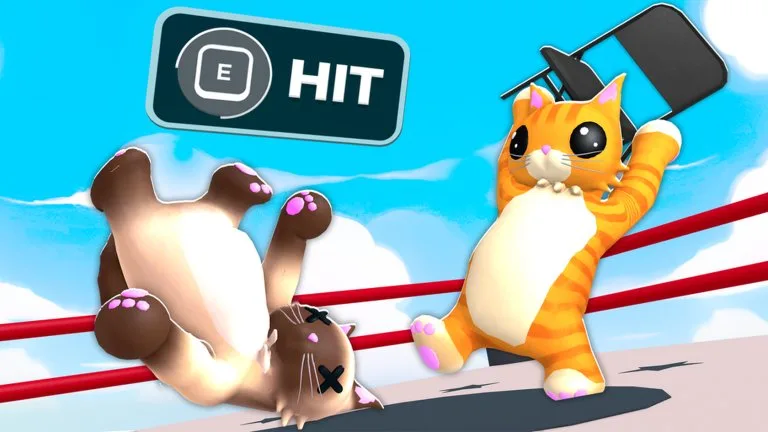
The developer prints five PC actions. Everything else in a bout is timing and where you stand.
| Action | Official input | What to use it for |
|---|---|---|
| Punch | Click | A fast shove. Useful near a rope when a grab will not connect. |
| Grab | Right Click | Hold the cat in front of you so Lift can pick them up. |
| Kick | F | A stronger knockback hit when you need space. |
| Lift | Shift | Raises a cat you are already grabbing. |
| Ability | Q | Fires the ability equipped from Inventory, then Abilities. |
The official description writes Punch as "Click" and Grab as "Right Click". It does not spell out left versus right for Punch. Gameplay frames treat Punch as left click. Older store art shows an on-screen prompt that reads "E HIT". The current description binds Kick to F, so do not add E as a second kick key from that picture.
Throw sequence
The 17 October 2026 guide video demonstrates this order, and the on-screen tip says to walk to the edge and let go:
- Get close enough that Right Click actually grabs.
- Hold Shift to lift.
- Walk to the nearest edge while the grab holds.
- Release over the edge.
The same video uses Dash, still on Q, to step back toward the middle when the ropes are too close. A grabbed cat running out of stamina before the throw is only that narration. It is not in the official description, so treat it as something to watch for, not a published timer.
Keys that show up on video frames
Two October gameplay recordings print an on-screen list with Jump on Space and Emote on G, and they place the word Hold next to Grab. Kick on F is the official binding and is not readable on those frames. Space and G are frame text. If your client shows them, use the list on your screen. The description itself does not document mobile touches, a controller layout, or key remapping.
Practice the four body moves in Classic before you replace Dash. The win guide covers where to stand once the buttons are familiar.